Time limits, global hotkeys, tasks, reminders, and the PLLauncher overlay — everything you need to stay productive. Free for Windows 11.
v2.6.59 — Windows 11 — $0
PLLauncher gives you everything you need to stay in control: set time limits, bind hotkeys, create tasks, and get reminded when it's time to move on.
Click any feature to learn more.
Set different daily limits for each application. Track usage in minutes with live updates.
When a limit is reached, a full-screen overlay appears. Dismiss, close, or wait for the cooldown.
View your daily usage per app on the main dashboard with remaining time in real time.
Control PLLauncher from anywhere with keyboard shortcuts — lock, unlock, dismiss, and more.
Three-layer fallback detects app usage even when the foreground window can't be identified.
Get a desktop notification 1 minute before your time limit is reached.
Real screenshots of PLLauncher running on Windows.
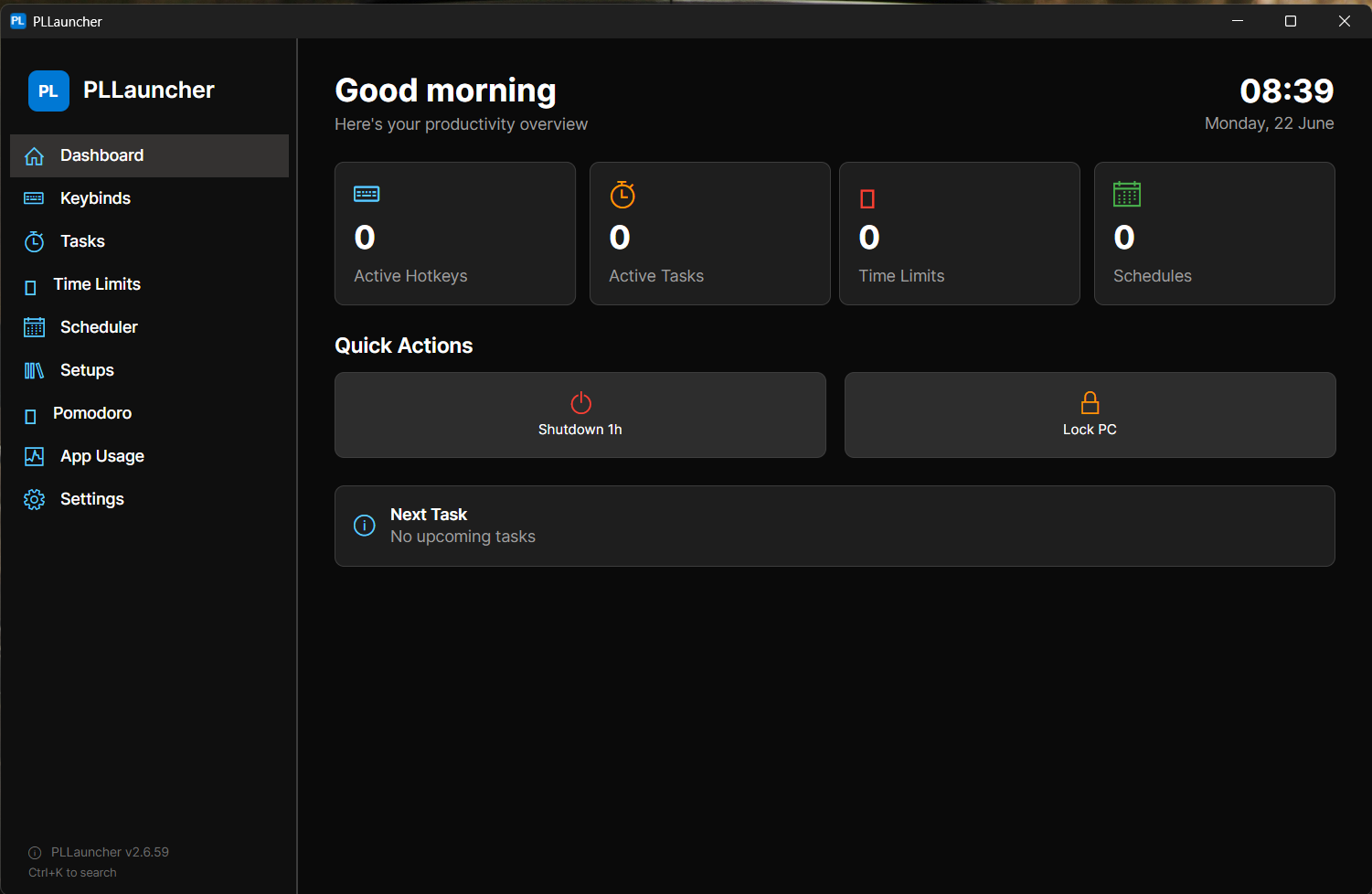
main-dashboard.png
Main dashboard with usage overview
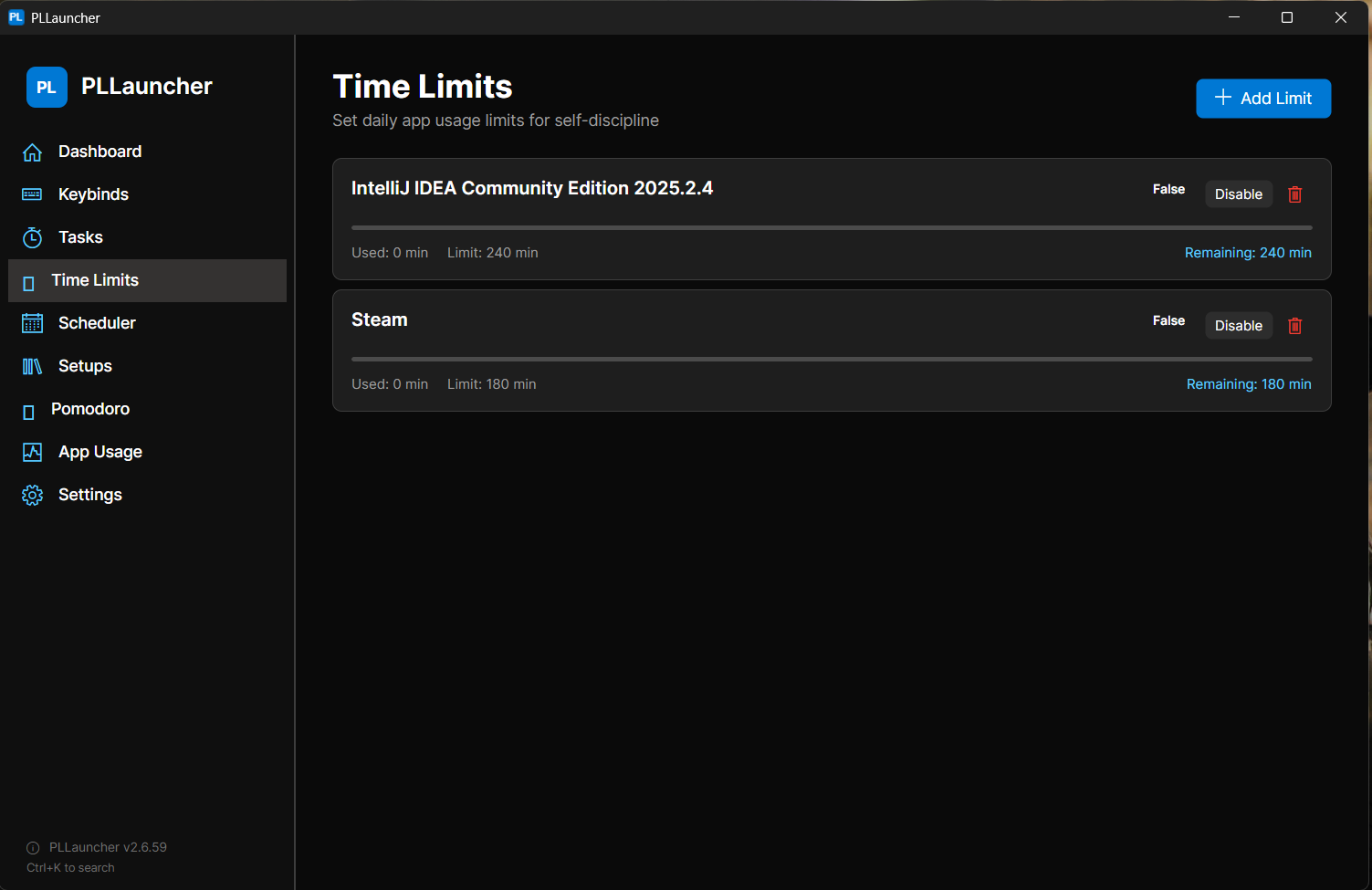
time-limit-settings.png
Time limit configuration per app
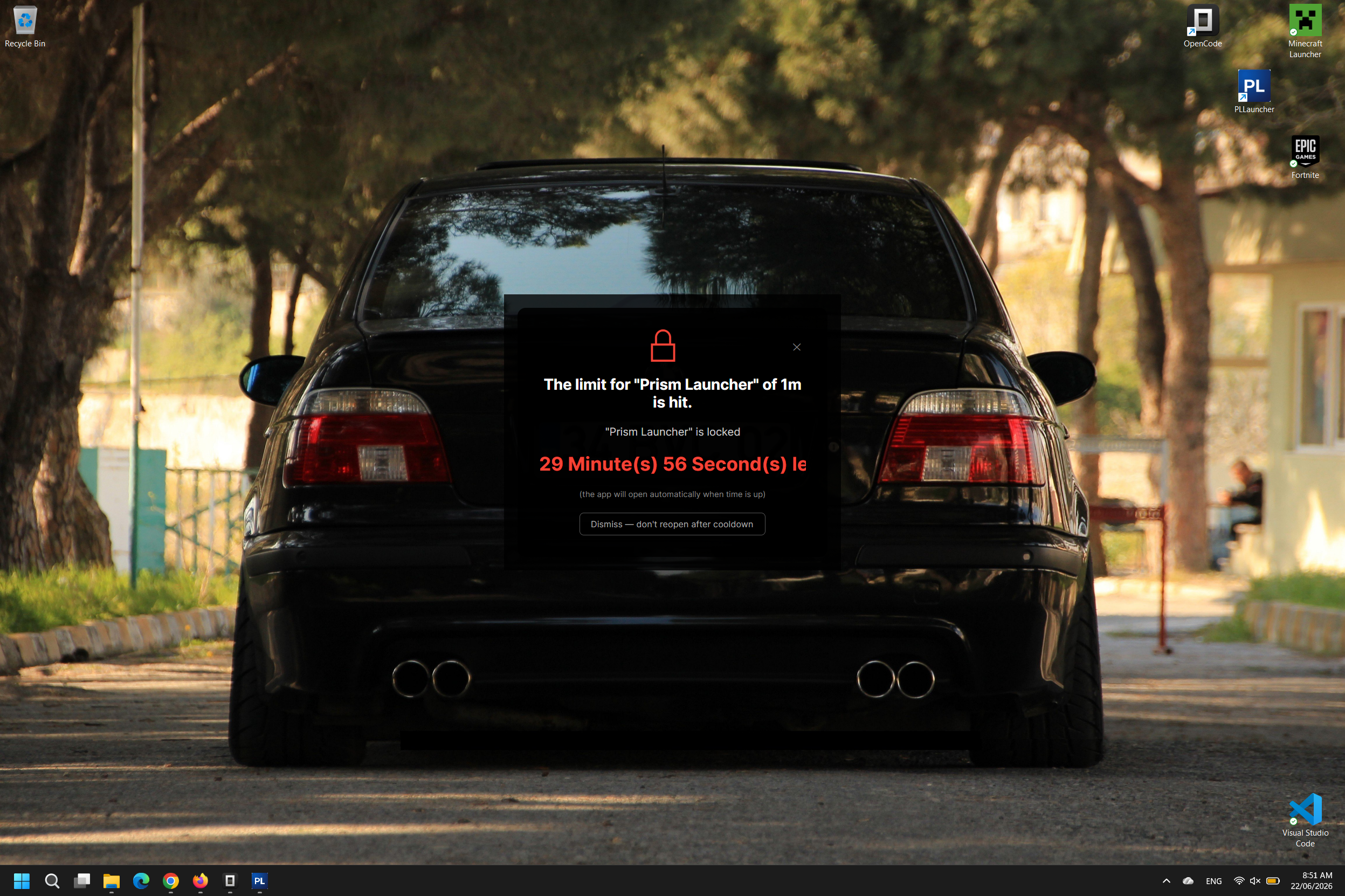
lock-overlay.png
Lock overlay shown when time is up

Windows 11 — Self-contained installer — $0
Download v2.6.59If PLLauncher helps you stay productive, consider supporting the developer.
TP2g1QPD3ys7zhD4Tvpmu4oMrvDYgn8tXk
⚠️ Send only via the Tron (TRC20) network.
NIKITA ROKOSSOVSKIY
4751 4210 8093 0200
07-08-06
41069233